


Why Chromebook Plus is the Best Choice in 2026: The Ultimate Guide
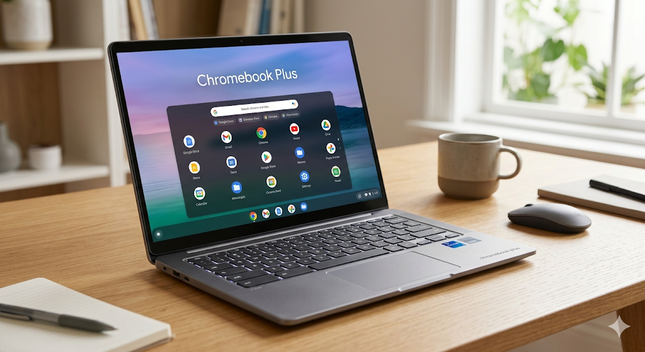
In an era where our digital lives are increasingly centered around the cloud, the hardware we choose must be able to keep up. Many users struggle with aging laptops that suffer from “system bloat,” short battery life, and constant security prompts. This is where the Chromebook Plus category steps in as a game-changer.
But what exactly differentiates a “Plus” model from a standard Chromebook, and why is it a smarter investment in 2026? Let’s dive into the details.
What Defines a Chromebook Plus?
To earn the “Plus” badge, a laptop must meet a specific set of hardware standards defined by Google. This ensures a premium, high-speed experience regardless of whether you choose a model from ASUS, Acer, HP, or Lenovo.
The Hardware Standards Include:
- Processor (CPU): Minimum 12th Gen Intel Core i3 or AMD Ryzen 3 5000-series and above. This guarantees smooth multitasking without lag.
- Memory (RAM): At least 8GB of RAM, essential for running modern applications and dozens of browser tabs simultaneously.
- Storage: A minimum of 128GB of fast storage for your offline files and local apps.
- Display Quality: A 1080p Full HD IPS display is mandatory, offering vibrant colors and superior viewing angles for streaming and work.
- Webcam: 1080p resolution with built-in temporal noise reduction for professional-grade video conferencing.
The AI-Powered Revolution in Chromebook Plus
One of the most compelling reasons to choose a Chromebook Plus today is the deep integration of Artificial Intelligence (AI). Google has embedded AI directly into the operating system, boosting productivity without requiring technical expertise.
Creative Tools with Google Photos
The Magic Eraser tool allows you to remove unwanted objects or people from your photos in seconds. Additionally, AI-powered HDR effects and portrait light adjustments make Chromebook Plus a surprisingly capable tool for social media content creators.
Professional Communication with “Help Me Write”
Whether you are drafting an email in Gmail, a post on LinkedIn, or a report in Google Docs, the “Help me write” feature is always available. It can rewrite sentences, change the tone from casual to professional, or summarize long-form content instantly.
Software & Productivity: Can It Handle Your Workflow?
A common misconception is that Chromebooks are “just a browser.” In 2026, that couldn’t be further from the truth.
- Microsoft Office 365 & Google Workspace: You can use Word, Excel, and PowerPoint seamlessly via web apps, which are now nearly identical to their desktop counterparts.
- Adobe Photoshop & LumaFusion: For creatives, there is a specialized web version of Photoshop. If you are into video editing, LumaFusion is optimized specifically to harness the power of Chromebook Plus hardware.
- Cloud Gaming: With services like NVIDIA GeForce NOW and Xbox Cloud Gaming, you can play AAA titles at high frame rates. Since the processing happens in the cloud, you don’t need a bulky gaming laptop to enjoy the latest releases.
Security and Zero Maintenance
For many, the biggest advantage of ChromeOS is the total lack of maintenance.
- Built-in Protection: The system uses “Verified Boot,” which checks for corrupted software every time the computer starts.
- Automatic Updates: Your laptop actually gets faster over time. Updates happen automatically in the background, ensuring you always have the latest security patches without the “Update and Restart” headaches known from other platforms.
- Sandboxing: Every app and website runs in its own isolated environment. If one tab is compromised, it cannot infect the rest of your system.
Is Chromebook Plus Right for You?
If you are a student, a freelancer, or a remote worker, a Chromebook Plus often provides better value than a budget Windows PC. You avoid “bloatware” and get a machine that stays fast for years.
Pro Tip: Look for deals during the “Back to School” season or Black Friday. You can often find premium Chromebook Plus hardware at a fraction of the price of an Ultrabook.
Key Benefits at a Glance:
- Fast Boot Times: Goes from “off” to “ready” in under 10 seconds.
- All-Day Battery: Typically offers 10–12 hours of active use.
- Ecosystem Integration: Seamlessly connects with your Android phone for file sharing and messaging.
- Affordability: Premium build quality without the premium price tag.
Final Verdict: Chromebook Plus has successfully bridged the gap between entry-level laptops and expensive workstations. It is the perfect balance of performance, security, and simplicity for the modern digital nomad.