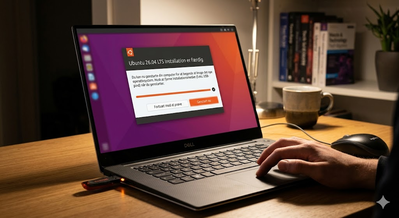








waiting for headers linux – After I installed Ubuntu 26.04 it took a long time to update the system, I had to wait for this annoying waiting for headers, so I found this solution, just follow step by step.
What Does “Waiting for Headers” Mean in Linux?
waiting for headers linux – When using tools like apt, dnf, yum, or pacman, your system must first receive HTTP headers from a remote repository. “Waiting for headers” indicates a delay before the server responds.
Common causes include:
- High network latency
- Long geographical distance
- Congested or slow mirrors
- Inefficient routing between data centers
Why Server Location Matters
Physical distance directly impacts round-trip time (RTT). The farther data travels, the slower the connection – especially for update processes involving many small requests.
Typical problems arise when:
- Your server is in the US, but repositories are in Europe
- Your business is local, but hosting is overseas
- Shared hosting limits network performance
Benefits of Moving Your Server Closer
1. Faster Linux Software Updates
Lower latency results in faster:
- Package downloads
- Security patches
- Dependency resolution
2. Reduced “Waiting for Headers”
Faster header responses make updates and installations feel instant and reliable.
3. Improved Overall Server Performance
A nearby server improves:
- API response times
- Database connections
- CI/CD pipelines
- Automation and cron jobs
When Should You Switch Server Location?
Consider migrating if:
- Linux updates frequently stall
- Package managers time out
- Your users are far from the server
- Performance and reliability are critical
In many cases, performance improves immediately after migration.
Why Alternatives Aren’t Always Enough
Changing Linux Mirrors
Helpful, but:
- Mirrors change availability
- Not all mirrors are reliable
- Routing issues may persist
CDN or Caching Solutions
Great for web content, but they don’t fix Linux repository latency.
That’s why physical server location remains the most effective solution.
Conclusion
If you’re tired of waiting on “Waiting for headers” during Linux updates, relocating your server closer to your users and repositories is a smart move. You’ll benefit from:
- Faster updates
- Lower latency
- Better stability
- Improved SEO and server performance
A simple change that delivers powerful results.
How to Open Software & Updates GUI in Ubuntu 26.04 (Missing or Not Installed)
open software & updates
if the gui version is not installed, do this:
paste these commands into the terminal to install the gui version.
[su_highlight]sudo apt update [/su_highlight]
[su_highlight]sudo apt install software-properties-gtk [/su_highlight]
to open the program use this command.
[su_highlight]software-properties-gtk [/su_highlight]
Click on Ubuntu software and look for a server closest to you.

select a server from the list

I have used main server, it works for me and I don’t wait for Headers anymore.See this guide
FAQ – Waiting for Headers in Linux
What does “waiting for headers” mean in Linux?
“Waiting for headers” means your Linux system is trying to connect to a software repository, but it is delayed in receiving the initial HTTP response (headers). This usually points to network latency or a slow mirror server.
Why is my Linux update stuck on “waiting for headers”?
This issue often happens because of:
- High network latency between your server and the repository
- Overloaded or slow mirror servers
- Poor routing between data centers
- Geographical distance between server and repository
Is “waiting for headers” a server problem or a network problem?
In most cases, it is a network-related issue rather than a problem with Linux itself. It is usually caused by slow connections, distant servers, or inefficient routing.
How do I fix “waiting for headers” in Linux?
You can try several solutions:
- Change to a faster or closer repository mirror
- Check your internet connection or server network
- Switch to a different hosting location
- Update your mirror list regularly
Does server location affect Linux update speed?
Yes. The farther your server is from the repository, the higher the latency. This can significantly slow down package updates and cause “waiting for headers” delays.
Can changing Linux mirrors solve the issue?
Sometimes. Switching to a closer or faster mirror can improve performance, but it does not always solve underlying routing or latency problems.
When should I move my server?
You should consider moving your server if:
- Updates frequently hang on “waiting for headers”
- Package downloads are consistently slow
- You experience high latency in general server tasks
- Your users are located far from your current server region