

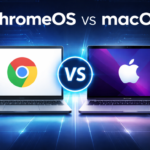


ChromeOS vs macOS – Which Operating System Is Best in 2026?
ChromeOS vs macOS is one of the most searched comparisons when choosing a new laptop in 2026. Both operating systems offer unique advantages depending on your needs, budget, and workflow. In this detailed ChromeOS vs macOS comparison, we break down performance, apps, security, and which OS is best for students and professionals.

Choosing between ChromeOS vs macOS depends on your budget, workflow, and what you actually use your computer for.
Both operating systems are popular alternatives to Windows, but they target very different users. ChromeOS focuses on simplicity and cloud-based work, while macOS is built for performance and professional software.
This guide compares ChromeOS and macOS in terms of usability, performance, apps, security, and ideal use cases—so you can choose the right operating system in 2026.
What Is ChromeOS?
ChromeOS is a lightweight, cloud-first operating system designed primarily for Chromebooks. It is built around the Chrome browser and Google services.
✅ ChromeOS Pros
- Very fast boot times
- Affordable laptops
- Automatic updates and strong built-in security
- Supports Android apps and Linux apps
- Simple and beginner-friendly
❌ ChromeOS Cons
- Limited offline functionality
- Not ideal for heavy creative or professional workloads
- Strong dependence on cloud services
Best for: students, casual users, schools, and web-based work.
What Is macOS?
macOS is Apple’s operating system for MacBooks and desktop Macs. It is known for stability, high performance, and professional software support.
✅ macOS Pros
- Excellent performance and system stability
- Best-in-class creative and professional software
- Seamless integration with the Apple ecosystem
- Long-term software updates
❌ macOS Cons
- Expensive hardware
- Limited hardware customization
- Closed ecosystem with less flexibility
Best for: professionals, creatives, developers, and power users.
ChromeOS vs macOS: Key Differences
| Feature | ChromeOS | macOS |
|---|---|---|
| Price | Low | High |
| Ease of use | Very simple | Intuitive |
| Performance | Good | Excellent |
| App ecosystem | Web, Android, Linux | Professional desktop apps |
| Offline use | Limited | Strong |
| Customization | Limited | Moderate |
| Best for | Students & casual users | Professionals & creatives |
Which Operating System Should You Choose?
✅ Choose ChromeOS if you:
- Mostly use web applications
- Want a budget-friendly laptop
- Are a student or casual user
- Prefer automatic updates and low maintenance
- Don’t need heavy desktop software
ChromeOS is ideal for everyday tasks like browsing, writing, studying, and cloud-based work.
✅ Choose macOS if you:
- Need professional creative tools
- Work with video, audio, or design software
- Want top-tier performance
- Are already invested in the Apple ecosystem
- Prefer a premium laptop experience
macOS is designed for demanding workloads and professional environments.
ChromeOS vs macOS for Students and Professionals
- Students: ChromeOS is usually the better choice due to low cost, simplicity, and long battery life.
- Creative professionals: macOS is the clear winner thanks to industry-standard software.
- Everyday users: ChromeOS offers everything most people need at a much lower price.
ChromeOS vs macOS – Final Verdict
There is no single winner in the ChromeOS vs macOS comparison.
- ChromeOS excels in simplicity, affordability, and ease of use
- macOS dominates in performance, creativity, and professional software
The best operating system depends on how you use your computer, not just on specs.
Frequently Asked Questions (FAQ)
Is ChromeOS better than macOS?
ChromeOS is better for budget users and students, while macOS is better for professionals.
Can ChromeOS replace a MacBook?
For web-based work, yes. For professional creative work, no.
Which is better in 2026: ChromeOS or macOS?
Both are excellent, but they serve different audiences.