


ChromeOS Flex vs Windows: Which Operating System Is Better in 2026?
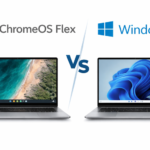
Choosing between ChromeOS Flex vs Windows depends on performance, compatibility, security, and cost. This ChromeOS Flex vs Windows comparison helps you decide which OS fits your needs best.
What Is ChromeOS Flex?
ChromeOS Flex is a free, lightweight operating system designed to run smoothly on older PCs and Macs. It focuses on cloud computing and web-based applications.
Key features:
- Free to use
- Fast boot times
- Low system requirements
- Automatic security updates
- Ideal for web browsing and productivity
What Is Windows?
Windows is a full-featured desktop operating system that supports a wide range of applications, including games and professional software.
Key features:
- Broad software compatibility
- Higher hardware requirements
- Paid license
- Ideal for gaming and advanced workflows
ChromeOS Flex vs Windows Comparison

Performance
- ChromeOS Flex: Excellent performance on old hardware
- Windows: Requires more RAM and CPU
Winner: ChromeOS Flex
Software Compatibility
- ChromeOS Flex: Web apps only, limited Android support
- Windows: Full desktop application support
Winner: Windows
Security
- ChromeOS Flex: Built-in security, sandboxing, verified boot
- Windows: Secure but more vulnerable to malware
Winner: ChromeOS Flex
Cost
- ChromeOS Flex: Free
- Windows: Paid license
Winner: ChromeOS Flex
Best Use Cases
- ChromeOS Flex: Students, schools, lightweight office work
- Windows: Gaming, design, engineering, professional users
Final Verdict
Choose ChromeOS Flex if you want a fast, secure, and free OS for everyday use.
Choose Windows if you need advanced software, gaming, or offline productivity.
FAQ – ChromeOS Flex vs Windows
❓ What is the difference between ChromeOS Flex and Windows?
The main difference is that ChromeOS Flex is a lightweight, cloud-based operating system, while Windows is a full desktop OS with broad software support. ChromeOS Flex runs faster on older hardware, whereas Windows supports more applications and games.
❓ Is ChromeOS Flex free?
Yes, ChromeOS Flex is completely free and can be installed on most PCs and Macs without any licensing cost. Windows usually requires a paid license unless it is already included with the device.
❓ Can ChromeOS Flex replace Windows?
For many users, yes. ChromeOS Flex can replace Windows if you mainly use:
- Web browsing
- Google Docs and Sheets
- Web-based applications
If you rely on professional software, gaming, or specialized desktop programs, Windows is still the better choice.
❓ Can you install ChromeOS Flex on a Windows PC?
Yes, ChromeOS Flex can be installed on most Windows PCs using a USB installer. For best results, it’s recommended to check Google’s official compatibility list.
❓ Does ChromeOS Flex work offline?
Yes, ChromeOS Flex supports limited offline use. Apps like Google Docs and Gmail can work offline, but full functionality requires an internet connection since it is a cloud-focused OS.
❓ Does ChromeOS Flex support Windows apps?
No, ChromeOS Flex does not support traditional Windows applications (.exe files). Instead, it relies on web apps and cloud-based alternatives.
❓ Is ChromeOS Flex secure?
Yes. ChromeOS Flex is highly secure thanks to:
- Sandboxing
- Verified Boot
- Automatic security updates
This makes it less vulnerable to viruses compared to Windows.
❓ Is ChromeOS Flex good for old computers?
Yes, ChromeOS Flex is ideal for older computers. It has low system requirements and can significantly improve performance on aging hardware.
❓ Which operating system is best for education?
ChromeOS Flex is often the best choice for schools and education, as it is free, fast, secure, and easy to manage. Windows is better if specific educational software is required.
❓ ChromeOS Flex vs Windows – which should I choose?
- Choose ChromeOS Flex if you want a fast, secure, and free OS for everyday use.
- Choose Windows if you need advanced software, gaming support, or full offline functionality.