




Most useful Linux terminal commands
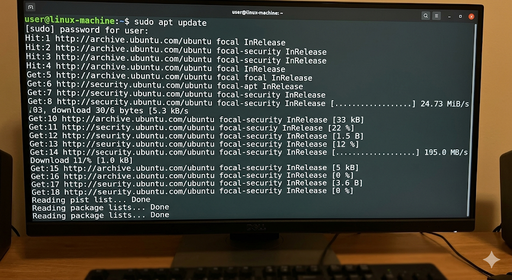
how to use linux-command-cheat-sheet
📁 Navigation in files and folders
- pwd – shows current directory
- ls – lists files and folders
- ls -l – detailed view
- ls -a – shows hidden files
- cd folder – enter a folder
- cd .. – go back one folder
📂 File management
- touch file.txt – creates an empty file
- mkdir folder – creates a folder
- cp file1 file2 – copies files
- mv file1 folder/ – moves files
- rm file.txt – deletes a file
- rm -r folder – deletes a folder (recursive)
📄 Reading files
- cat file.txt – shows entire file
- less file.txt – scroll through file
- head file.txt – first 10 lines
- tail file.txt – last 10 lines
🔎 Searching
- find . -name “file.txt” – finds files
- grep “text” file.txt – searches inside files
⚙️ System information
- top – shows running processes
- htop – improved version of top (if installed)
- df -h – disk usage
- free -h – memory usage
- uname -a – system information
🔐 Permissions
- chmod +x file – makes file executable
- chmod 644 file – changes file permissions
- sudo command – runs as admin
🌐 Networking
- ping google.com – tests connection
- curl url – fetch data from web
- wget url – download files
📦 Package management (Ubuntu/Debian)
- sudo apt update – updates package list
- sudo apt install name – installs program
- sudo apt remove name – removes program
📁 Navigation in files and folders
- pwd – shows current directory
- ls – lists files and folders
- ls -l – detailed view
- ls -a – shows hidden files
- cd folder – enter a folder
- cd .. – go back one folder
📂 File management
- touch file.txt – creates an empty file
- mkdir folder – creates a folder
- cp file1 file2 – copies files
- mv file1 folder/ – moves files
- rm file.txt – deletes a file
- rm -r folder – deletes a folder (recursive)
📄 Reading files
- cat file.txt – shows entire file
- less file.txt – scroll through file
- head file.txt – first 10 lines
- tail file.txt – last 10 lines
🔎 Searching
- find . -name “file.txt” – finds files
- grep “text” file.txt – searches inside files
⚙️ System information
- top – shows running processes
- htop – improved version of top (if installed)
- df -h – disk usage
- free -h – memory usage
- uname -a – system information
🔐 Permissions
- chmod +x file – makes file executable
- chmod 644 file – changes file permissions
- sudo command – runs as admin
🌐 Networking
- ping google.com – tests connection
- curl url – fetch data from web
- wget url – download files
📦 Package management (Ubuntu/Debian)
- sudo apt update – updates package list
- sudo apt install name – installs program
- sudo apt remove name – removes program
hope you enjoyed the linux-command-cheat-sheet