


Introduction
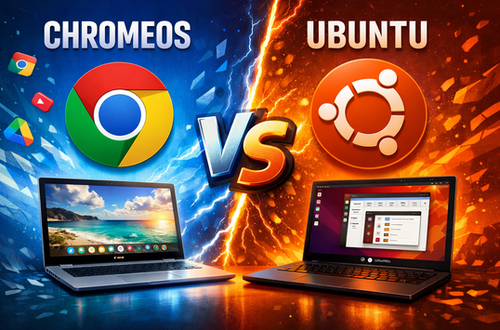
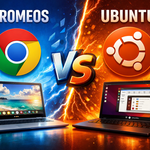
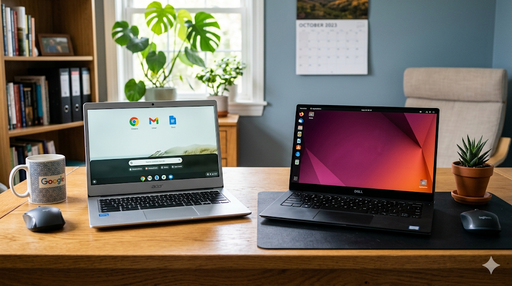
ChromeOS vs Ubuntu – I use both operating systems, I have two Ubuntu computers and a Chromebook, when I need to do geeky things I use Ubuntu and for general use I use Chromebook. I like both systems a lot. That’s why I’ve made this guide so you can learn more about which computer to choose.
When choosing a new operating system, many users compare ChromeOS vs Ubuntu to find the best solution for daily work, productivity software, and overall computer performance.
Whether you are using a Chromebook, a traditional laptop, or a Linux laptop, the right operating system can affect security, speed, and long-term usability.
ChromeOS is often chosen for its simplicity and strong security features. It works especially well on low-cost laptops and Chromebooks, making it a popular operating system for students and cloud-based workflows.
What Is ChromeOS?
ChromeOS is a lightweight operating system developed by Google, built around the Chrome browser and cloud-based workflows.
ChromeOS Pros
- Fast boot times
- Automatic updates
- Strong security
- Easy to use
- Excellent battery life
ChromeOS Cons
- Limited offline capabilities
- Heavy reliance on Google services
- Less system control
What Is Ubuntu?
Ubuntu is a popular Linux distribution based on open-source software, offering a full desktop environment and advanced customization.
Ubuntu Pros
- Free and open source
- Full system control
- Wide software compatibility
- Excellent for development
- Works fully offline
Ubuntu Cons
- Steeper learning curve
- Requires manual maintenance
- Less beginner-friendly
ChromeOS vs Ubuntu – Direct Comparison
Ease of Use
ChromeOS is ideal for beginners, while Ubuntu suits advanced users.
Performance
ChromeOS performs better on low-end hardware. Ubuntu typically requires more resources.
When comparing ChromeOS vs Ubuntu, the choice often depends on how you use your laptop. Users focused on cloud computing prefer ChromeOS, while those who need a powerful secure operating system often choose Ubuntu.
Software Support
- ChromeOS: Web apps, Android apps, Linux apps
- Ubuntu: Native Linux software and full terminal access
Security
Both systems are secure, but ChromeOS benefits from sandboxing and automatic updates.
Who Should Choose ChromeOS?
- Students
- Casual users
- Cloud-based workers
- Users who prefer simplicity
Who Should Choose Ubuntu?
- Developers and programmers
- Advanced users
- Linux enthusiasts
- Users who need full control
Choosing the right operating system can improve computer performance, battery life, and long-term value when buying a new laptop.
Conclusion
ChromeOS vs Ubuntu is not about which OS is better overall, but which one fits your needs.
Choose ChromeOS for simplicity and stability, and Ubuntu for flexibility and power.
❓ FAQ – ChromeOS vs Ubuntu
What is the difference between ChromeOS and Ubuntu?
The main difference between ChromeOS and Ubuntu is usability and control. ChromeOS is designed for simplicity and cloud-based apps, while Ubuntu offers full system control, offline functionality, and advanced customization.
Is ChromeOS better than Ubuntu?
ChromeOS is better for beginners, students, and casual users who want a fast and secure operating system. Ubuntu is better for advanced users and developers who need flexibility and full control over their system.
Which is better for developers: ChromeOS or Ubuntu?
Ubuntu is generally better for developers because it provides native Linux tools, full terminal access, and wider software compatibility compared to ChromeOS.
Can you install Ubuntu on a Chromebook?
Yes, Ubuntu can be installed on a Chromebook using Linux (Beta), Crouton, or dual boot, depending on the device model and hardware support.
Is Ubuntu more powerful than ChromeOS?
Ubuntu is more powerful in terms of customization, software availability, and system control. ChromeOS is more lightweight and optimized for speed, security, and simplicity.
Is ChromeOS secure enough for daily use?
Yes, ChromeOS is very secure due to sandboxing, verified boot, and automatic updates, making it suitable for everyday personal and professional use.
ChromeOS vs Ubuntu: which is better for students?
ChromeOS is usually better for students because it is simple, affordable, and works well with cloud-based tools. Ubuntu is better for students in IT or computer science who need more control and Linux tools.
Can ChromeOS replace Ubuntu?
ChromeOS can replace Ubuntu for basic everyday tasks like browsing, writing, and cloud work. However, Ubuntu is still better for advanced users who need full Linux functionality.