


Coding on Chromebook and ChromeOS Flex with CodeAnywhere (2026 Guide)
coding on chromebook _ Chromebooks and ChromeOS Flex devices are increasingly used by students, developers, and professionals who need a fast, secure, and lightweight computing environment. A common question that often arises is whether you can actually handle serious coding on Chromebook setups.
The short answer is yes — and one of the most effective tools for this is CodeAnywhere, a premium cloud-based development environment that runs entirely within your standard web browser.
What Is CodeAnywhere?
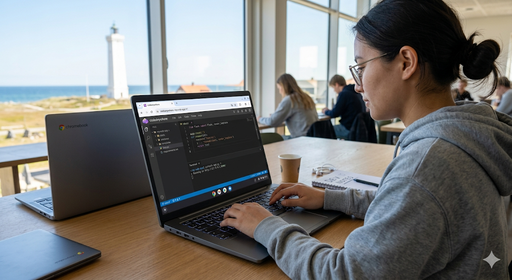
CodeAnywhere is a modern cloud IDE (Integrated Development Environment) that allows you to write, edit, and run code directly in your web browser. Instead of installing heavy software locally on your hard drive, all your software development and compilation happen securely on remote servers.
Key Features of the Cloud IDE:
- Browser-based development environment: Access your workspace from any device.
- Multi-language support: Write in almost any modern programming language.
- Built-in terminal and file manager: Full Linux terminal access for running commands.
- Git and GitHub integration: Easily push, pull, and manage your repositories.
- Low hardware requirements: Runs smoothly even on budget-friendly laptops.
This specific lightweight architecture makes it the ideal companion for ChromeOS development.
Why CodeAnywhere Works Well on Chromebook and ChromeOS Flex
Because Chromebooks and ChromeOS Flex are designed from the ground up around cloud computing, they align perfectly with the philosophy of a virtual programming environment.
1. Zero Local Installation Required
When setting up a traditional workstation, you typically have to configure heavy software. With this solution, you don’t need to install:
- Compilers and runtime environments
- Heavy SDKs (Software Development Kits)
- Local desktop IDEs like VS Code, Eclipse, or IntelliJ
All you need is:
- A Google Chrome browser
- A stable internet connection
This makes it the perfect setup for educational institutions, coding bootcamps, and shared devices.
2. Full Programming Environment in the Browser
Despite being lightweight, CodeAnywhere supports an extensive wide range of programming languages, including:
- Frontend Web Dev: HTML, CSS, JavaScript
- Backend & Scripting: Python, PHP, Node.js, Ruby
- Systems & Enterprise: Java, C, C++, Go, Bash
This allows you to seamlessly build everything from simple responsive websites and complex web applications to advanced backend systems and school programming assignments.
3. Perfect for Students and Beginners
Since Chromebooks dominate the education sector, cloud coding fits naturally into the modern classroom. It is especially useful because:
- No admin permissions are required to start writing code.
- It bypasses restrictions on school-managed devices.
- Coding projects can be shared instantly via URLs for collaborative review.
- It eliminates initial setup barriers that often discourage beginners.
Coding on ChromeOS Flex: Giving Old Hardware New Life
ChromeOS Flex is often installed on older laptops and outdated desktop PCs to revitalize them. However, just like standard ChromeOS, it has native limitations when it comes to running traditional desktop development tools.
CodeAnywhere solves this limitation by:
- Running entirely in the browser, bypassing OS restrictions.
- Replacing the need for resource-heavy local IDEs.
- Providing high-performance cloud-based Linux environments.
- Enabling modern development workflows on legacy hardware.
This means you can turn a 10-year-old laptop into a fully functional machine for web development.
What Can You Build with This Setup?
With CodeAnywhere running on your Chromebook or ChromeOS Flex device, you can:
- Build and deploy modern web applications.
- Learn computer science and programming fundamentals.
- Complete complex computer science assignments.
- Practice backend development with live databases.
- Collaborate with teams on global GitHub projects.
Limitations to Be Aware Of
While highly powerful, using a cloud IDE does come with a few trade-offs:
- Internet dependency: It requires a stable internet connection to function.
- Offline work: It is not ideal for heavy offline development or coding on planes.
- Latency: Performance depends entirely on your cloud environment’s server speed.
- Desktop Apps: It is less suitable for building advanced native desktop software or mobile apps requiring local emulation.
CodeAnywhere vs. Local IDEs
| Feature | CodeAnywhere (Cloud) | Local IDE (VS Code, IntelliJ) |
| Installation | 🟢 None (Instant) | 🔴 Required & Complex |
| Hardware Requirements | 🟢 Very Low | 🔴 Medium to High |
| Internet Dependency | 🔴 Required | 🟢 Optional / Offline Ready |
| Setup Time | 🟢 Instant Workspace | 🔴 Longer Configuration |
| Chromebook Support | 🟢 Native & Excellent | 🟡 Limited / Requires Linux Mode |
Conclusion
Coding on Chromebook and ChromeOS Flex is absolutely possible and highly efficient with the right cloud tools. CodeAnywhere provides a complete, robust cloud-based development environment that makes it easy to learn programming, build web applications, and work on school projects without needing an expensive, high-end computer.
FAQ: Coding on Chromebook with CodeAnywhere
Can you actually use a Chromebook for coding?
Yes, you can easily use a Chromebook for coding. By utilizing a cloud-based IDE like CodeAnywhere, all the heavy processing, compiling, and running of code happens on remote cloud servers, meaning you only need a web browser to develop software.
Does CodeAnywhere work offline on ChromeOS?
No, CodeAnywhere requires an active internet connection because it connects you to a remote cloud server where your code is hosted and executed. For offline coding on a Chromebook, you would need to enable the built-in Linux development environment (Crostini).
Which programming languages are supported by CodeAnywhere?
CodeAnywhere supports a wide variety of programming languages, including HTML, CSS, JavaScript, Python, PHP, Node.js, Java, C, C++, Go, and Ruby. It provides pre-configured containers for almost any modern development stack.
Is ChromeOS Flex good for software developers?
ChromeOS Flex is excellent for developers who focus on web development or utilize cloud tools. While it lacks native support for heavy local applications, pairing ChromeOS Flex with a cloud IDE transforms older hardware into a fast, secure, and reliable coding station.
Do I need to enable Linux mode on my Chromebook to use CodeAnywhere?
No, you do not need to enable Linux mode (Crostini) or developer mode on your Chromebook. CodeAnywhere runs entirely inside the standard Google Chrome browser, making it accessible even on locked or school-managed devices.